
Download Soundplant – Free Low‑Latency Sampler for Windows, macOS, Android & iOS
Overview
Soundplant is a versatile audio sampling utility that transforms any standard computer keyboard into a fully‑featured sampler. Unlike traditional samplers that demand dedicated hardware or complex routing, Soundplant lets you assign audio files to individual keys, offering instant playback with near‑zero latency. This makes it an ideal tool for live performers, podcasters, educators, and anyone who needs rapid, reliable sound triggering.
Whether you are a DJ looking to trigger drum loops on the fly, a theater technician needing quick sound effects, or a hobbyist who simply wants to experiment with sound design, Soundplant delivers a lightweight, secure, and highly customizable experience. The program also supports hidden mode, allowing you to keep the interface out of sight while still receiving key input—a feature that enables seamless integration with presentation software, video games, or streaming overlays. In addition to live playback, Soundplant includes built‑in recording capabilities, letting you capture performances directly to your hard drive.
Its cross‑platform support covers Windows, macOS, Android, and iOS, ensuring that you can carry your sample library across devices without missing a beat. With a free tier that provides all core functionalities and optional paid upgrades for advanced features, Soundplant strikes a balance between accessibility and professional‑grade performance.
Key Features & Capabilities
- Keyboard‑Driven Sampling: Assign any audio file (WAV, MP3, OGG, etc.) to a specific key and trigger it instantly.
- Ultra‑Low Latency: Optimized audio engine delivers sub‑10 ms response times, perfect for live shows.
- Hidden Mode: Keep the interface invisible while still receiving key input, allowing you to display slides, video, or game footage simultaneously.
- Built‑in Recorder: Capture your performance directly within the app and export to popular audio formats.
- Multi‑Platform Support: Available for Windows, macOS, Android, and iOS, with synchronized cloud library options.
- Customizable Hotkeys: Use modifier keys (Shift, Ctrl, Alt) to create multiple layers of samples per key.
- Volume & Pan Controls per Sample: Fine‑tune each trigger’s loudness and stereo placement without leaving the main window.
- Export & Import Presets: Share your sample maps with teammates or backup your configurations.
- Free Core Version: All essential functions are available at no cost; optional premium add‑ons unlock advanced routing and MIDI integration.
- Secure Updates: Automatic, signed updates keep the software safe and up‑to‑date.
Beyond the list, Soundplant’s design philosophy emphasizes simplicity without sacrificing depth. The drag‑and‑drop workflow lets you drop an audio file onto a key, name it, and start playing in seconds. For power users, the preferences panel offers detailed control over buffer size, sample rate, and output device selection, ensuring optimal performance on any hardware configuration. The app also integrates with popular DAWs through virtual MIDI ports, letting you layer sampled triggers with other instruments or apply effects chains. Whether you’re running a small house‑band gig or a large‑scale theater production, Soundplant scales gracefully, offering both a lightweight footprint (under 50 MB) and robust feature set.
Installation, Usage & Compatibility
Step‑by‑Step Installation
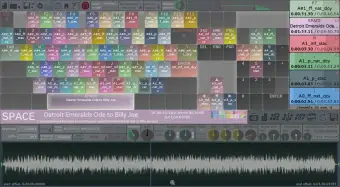
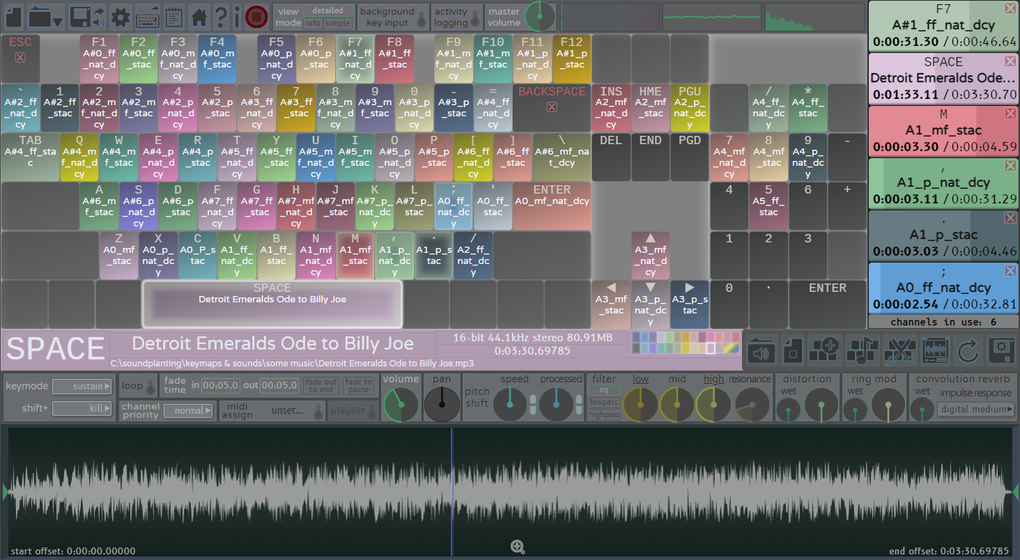
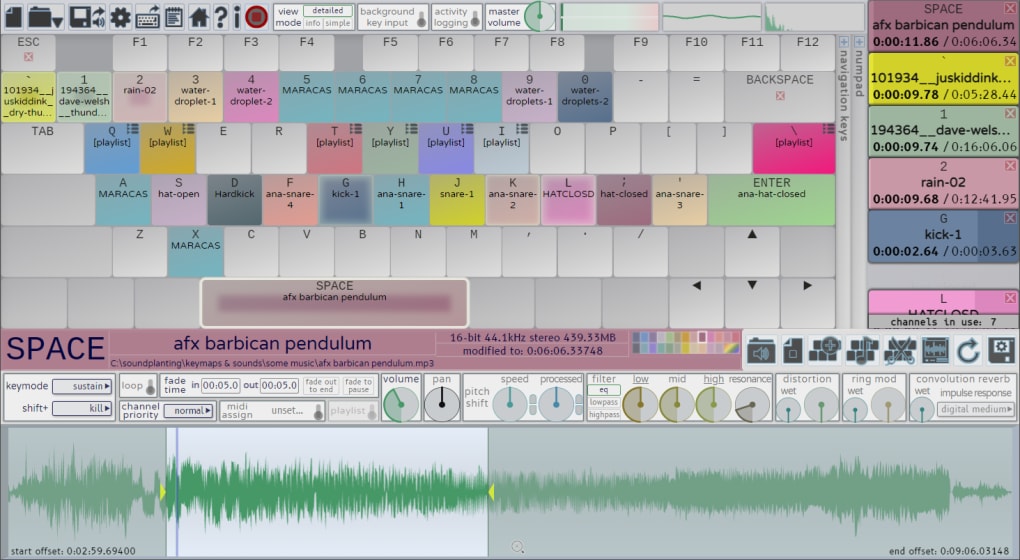
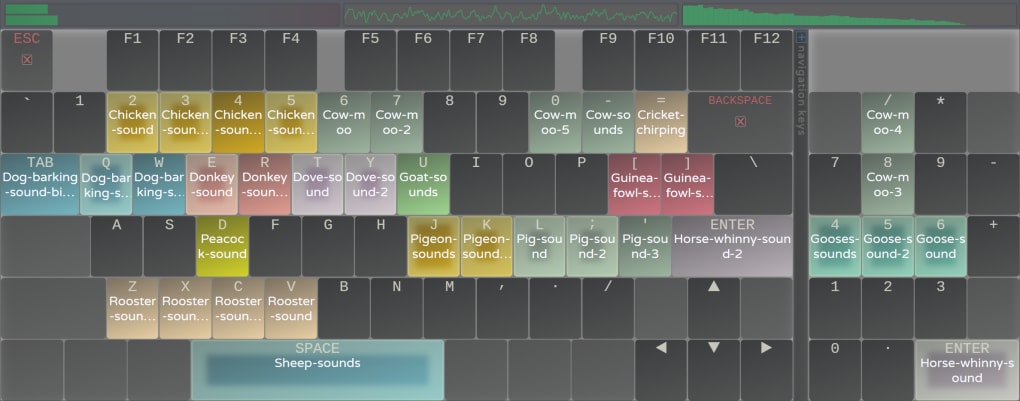
Downloading and installing Soundplant is straightforward. Visit the official website, click the “Download” button that matches your operating system, and run the installer. For Windows users, the .exe installer guides you through standard setup steps, including optional desktop shortcuts. macOS users receive a .dmg file; simply drag the Soundplant icon into the Applications folder. Android and iOS versions are available through Google Play and the App Store respectively, with in‑app prompts handling permissions for storage and audio output. After installation, launch the app, and you’ll be greeted by a clean interface showing a virtual keyboard layout.
Getting Started Quickly
To load a sample, drag an audio file from Explorer/Finder onto the desired key. The key label updates to reflect the sample name. You can assign multiple layers by holding Shift while dropping additional files onto the same key.
Adjust volume, pan, and playback speed using the sliders that appear when you right‑click a key. For hidden mode, enable “Stealth” in the Settings menu; the app will minimize to the system tray while still listening for keystrokes. When you’re ready to record, click the red “Record” button, perform your set, and stop recording to save the session as a WAV file.
Operating System Support
Soundplant runs on Windows 10/11 (64‑bit), macOS 10.15 Catalina and later, Android 8.0 and up, and iOS 13 or newer. The application leverages native audio APIs (WASAPI on Windows, Core Audio on macOS, OpenSL ES on Android, and AVAudioEngine on iOS) to guarantee low latency across all platforms. Minimum system requirements are modest: a dual‑core CPU, 2 GB RAM, and a sound card that supports 44.1 kHz/16‑bit playback. For professional environments, it’s recommended to use a dedicated audio interface with ASIO drivers on Windows or CoreAudio on macOS to further reduce latency.
Overall, the installation process takes less than five minutes, and the learning curve is gentle enough for beginners while still offering deep customization for seasoned audio engineers. The cross‑platform nature ensures that you can develop a sample library on a desktop and then use it on a tablet during a live gig, all without re‑mapping keys.
Pros, Cons & Frequently Asked Questions
Pros
- Ultra‑low latency makes it reliable for live performance.
- Free core version provides all essential features.
- Hidden mode enables seamless multitasking with other applications.
- Cross‑platform support (Windows, macOS, Android, iOS).
- Simple drag‑and‑drop workflow accelerates sample loading.
- Built‑in recorder eliminates the need for external software.
- Customizable hotkeys and layers for complex setups.
Cons
- No built‑in effects processing (reverb, delay) – requires external DAW for advanced sound design.
- Premium features (MIDI mapping, advanced routing) are behind a paywall.
- Interface may feel minimalistic for users accustomed to graphic samplers.
- Android version lacks some desktop‑only functionalities such as multi‑track recording.
FAQ – Frequently Asked Questions
Can I use Soundplant with a MIDI controller?
Yes. The premium version includes virtual MIDI output, allowing you to map keyboard keys to MIDI notes and control external synths or DAWs.
Is there a limit to how many samples I can load?
There is no hard limit; the practical constraint is your computer’s RAM and storage. Soundplant streams samples from disk, so even large libraries can be managed efficiently.
How secure are the automatic updates?
Updates are digitally signed and delivered over HTTPS, ensuring authenticity and protecting against tampering.
Can I run Soundplant while streaming on Twitch or YouTube?
Absolutely. Use hidden mode to keep the sampler out of view while you stream, and trigger sounds via keyboard shortcuts during your broadcast.
What audio formats does Soundplant support?
Common formats such as WAV, MP3, OGG, FLAC, and AIFF are supported. The app also respects the original sample rate and bit depth of each file.
Final Verdict & Call to Action
Soundplant stands out as a lightweight, low‑latency sampling solution that delivers professional‑grade performance without the overhead of traditional hardware samplers. Its free core version makes it accessible to anyone, while the optional premium add‑ons provide the flexibility required by advanced users. Whether you’re a musician, educator, podcaster, or streamer, Soundplant’s hidden mode and cross‑platform nature enable you to incorporate instant sound triggering into any workflow. Ready to turn your keyboard into a powerful audio tool? Download Soundplant now and start building your sample library today.
Soundplant impresses with its ultra‑low latency, intuitive interface, and robust cross‑platform support. While the free version covers most needs, power users may miss built‑in effects and full MIDI integration, which are only available in the paid tier. Overall, it’s a must‑have tool for anyone looking to trigger samples quickly and reliably.







